![TwinThread_black.png]](https://www.twinthread.com/hs-fs/hubfs/TwinThread%20Logos/TwinThread_black.png?width=266&height=60&name=TwinThread_black.png)
Model Artifacts provide users with transparent insight into the results of each Model Task (block within the Model Workflow) and Model Operation (Evaluate, Train, and Execute). This visibility supports more effective troubleshooting, validation, and continuous improvement of Models, ensuring performance aligns with operational goals.
Model Artifacts are a collection of Model Analysis Content and Model Documents. The Analysis Content found under Model Artifacts are the same Analysis Content items that can be found in the Analysis page in the Model.
Artifacts are available for Models created prior to the release of this feature, but the Model will need to re-Evaluate and re-Train for these to populate.
Model Documents
Every Model Operation creates/updates a set of Model Documents that can be used in two different ways:
- Manually reviewed by Users when troubleshooting a Model or trying to understand why a Task behaved in a specific way, where their data is stagnant or missing, or other data quality issues.
- Used as Context for the TwinThread Advisor to answer User's questions about Model configuration, outputs, next steps/actionable items, and to drill in deeper about why a dataset is behaving a certain way. This enables Users to rapidly refine their Models to achieve optimal outcomes, while also providing comprehensive insights into their datasets. The Advisor can leverage information from Model Documents to generate custom Python code, addressing specific questions and supporting in-depth analysis. This option is only available for Users who have the TwinThread Advisor capability enabled.
Each type of Model Document is described below, not all Model Documents are available for Users that do not have TwinThread Advisor enabled.
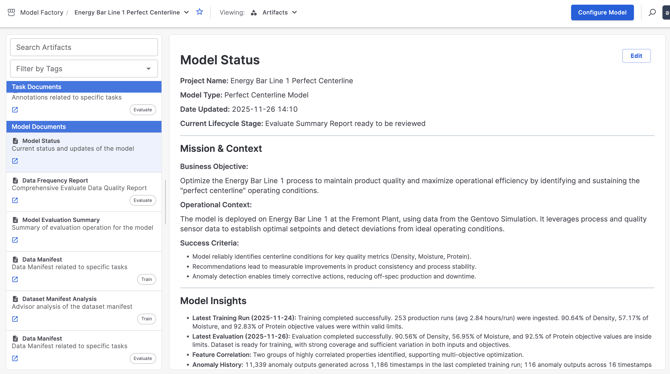
Model Status
The Model Status Document can be accessed directly on the Model QuickStart Page or via the Artifacts Page. This Document is updated every time a Model Operation is completed, therefore it stays up to date with the activities/progress of the Model. An overall summary of the Model is displayed at the top, followed by insights and next steps. Users can edit this Document to include information such as success criteria, operational context, business objectives, etc. This will be taken into account as the Model completes further progress. This Document is meant to be reviewed by the User who is in charge of driving the progress of the Model forward towards the defined success criteria. Need to have TwinThread Advisor capability turned on for this Document to populate.
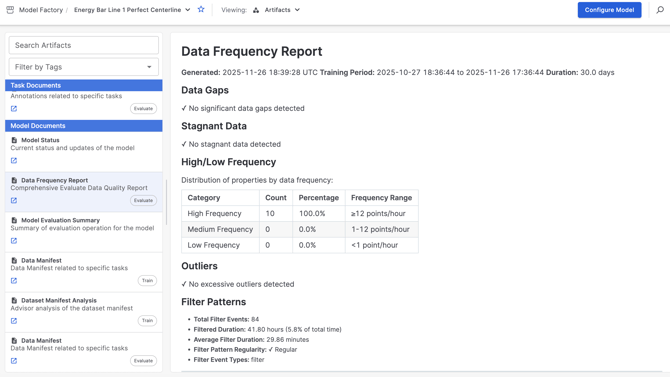
Data Frequency Report
This Document is a product of the Evaluate Operation. The purpose of the data frequency report is to highlight any data quality issues, such as gaps, stagnant data, outliers, or significant filtering. This Document is produced for every Model, regardless if the TwinThread Advisor capability is enabled.
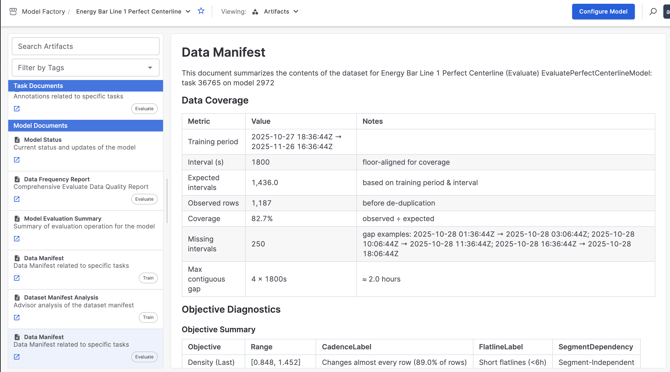
Data Manifest
A Data Manifest is created for both the Evaluate and Train Operations. Just as a shipping container Manifest provides a detailed inventory of its contents, the Data Manifest serves as a comprehensive summary of the dataset that results from the Model Configuration. This enables teams to quickly assess dataset completeness, verify the inclusion of critical variables, and ensure the data meets the requirements for effective model development and troubleshooting. While the intention of this Document was that it can be used as Context for the TwinThread Advisor, the capability does not need to be turned on for this Document to get created.
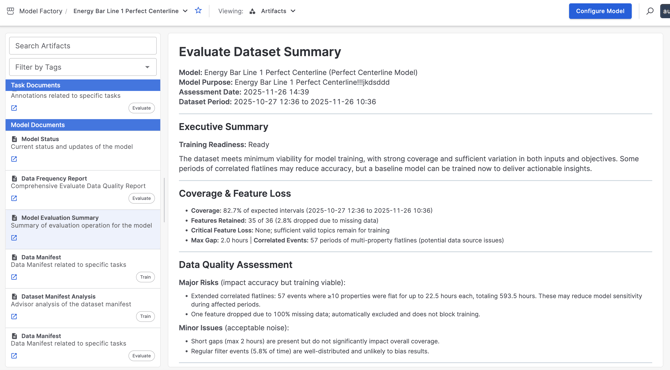
Model Evaluation Summary
The Model Evaluation Summary Document reviews all of the information in the Model Status, Data Frequency Report, Data Manifest and Model Purpose and summarizes it into one comprehensive document. This Document will be created when the Model completed Evaluation and will display directly in the Evaluate Wizard (may not populate immediately). Recommendations on next steps will be displayed, and will tell Users whether or not the Model is ready to train. Need to have TwinThread Advisor capability turned on for this Document to populate.
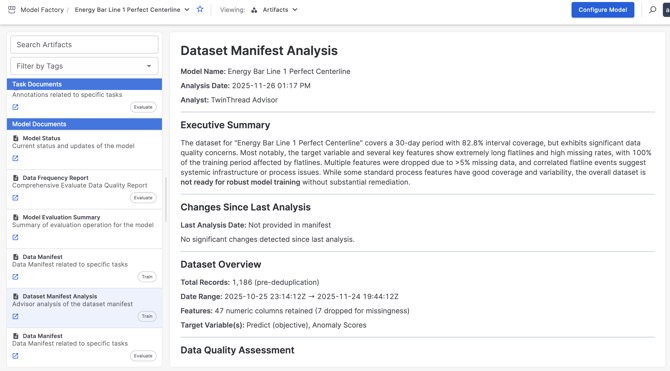
Data Manifest Analysis
The Data Manifest Analysis is similar to the Model Evaluation Summary, but is created by the Train Operation. It answers the question of if the Model is ready for the next step after Training has been completed. Within the comprehensive analysis of the dataset, this Document will provide links to Topics in context (Property Detail Page) and provide Recommendations for how to move forward. Need to have TwinThread Advisor capability turned on for this Document to populate.