Skip Page Navigation

Achieve Significant Value

Anomaly Action Center-Resource Efficiency-1

Improve resource
efficiency

Anomaly Action Center-Anomaly Resolution-1

Reduce time to anomaly resolution

Anomaly Action Center-Unplanned Downtime-1

Reduce unplanned
downtime

Automation

TT-List_Perfect Centerline

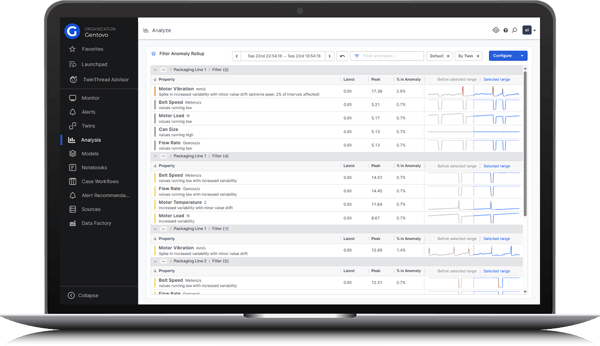
See all asset and process anomalies in the Anomaly Action Center’s configurable Anomaly Rollup interface.

TT-List_Perfect Centerline

The Anomaly Rollup interface filters anomalies based on user-defined thresholds, helping prioritize critical anomalies.

TT-List_Perfect Centerline

Use Alerts and Alert Rules to automatically route standard operating procedures to personnel when anomalies occur.

TT-List_Perfect Centerline

Properties tied to multiple models receive normalized anomaly scores to accurately reflect severity.

TT-List_Perfect Centerline

Get instant context on every anomaly with single-sentence summaries, metrics, and a split-view comparison of baseline versus active state.

TT-List_Perfect Centerline

The Anomaly Action Center’s Alert Recommendations interface learns from user behavior to highlight the most urgent alerts.

TwinThread Platform_Anomaly Action Center-1
TwinThread Platform_Anomaly Action Center-2
TwinThread Platform_Anomaly Action Center-3
TwinThread Platform_Anomaly Action Center-4
TwinThread Platform_Anomaly Action Center-5

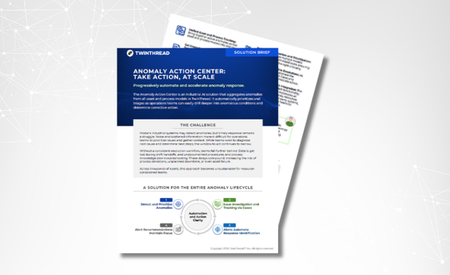
Solution Brief: Anomaly Action Center

Aggregate, prioritize, and triage critical anomalies at scale.
Industrial AI Data Readiness Guide

How to Accelerate Value from Your Existing Industrial Data
Frequently Asked Questions

Rollup uses a Model Finder, which is designed to navigate existing twin hierarchies easily. Users can browse, review structural context, and select multiple models at once.

By default, Rollup combines anomalies across chosen models, groups them by property, and normalizes their scores into a single Anomaly Score.

Anomaly Rollup and TwinThread’s Platform are built to support enterprise-level scale. In one current customer environment, the Platform consolidates 80 active models across multiple different departments, with individual models connecting up to as many as 1,500 unique sensors.

Time-range alerts are featured in the Alerts Recommendations page.

TwinThread tracks anomaly duration using the “% in Anomaly” field. This calculates the exact percentage of time a property spent outside ideal operating limits within the selected timeframe. This helps engineers isolate chronic issues from noise.

Engineers can define a strict score threshold. Any anomaly failing to reach it is hidden from the display.

Yes, Rollup offers grouping controls that allow teams to segment data dynamically:

  • Group by Digital Twin: Organizes the anomaly feed by individual twin, while preserving anomaly severity within each twin's list.
  • Group by Topic: Organizes anomalies using operational topics mapped in the data, making it easier to review performance by process, department, or functional area.

Criticality is based on user-defined alert rules. Users set specific thresholds for up to four criticality levels: High, Medium, Low, and Info. When a property value or event state meets the configured threshold for a given level, the system automatically assesses and triggers an alert of that specific criticality.

The threshold buffer extends the acceptable range around alert thresholds, preventing alerts from being triggered too often. An alert only triggers once the condition has fully moved outside of the configured buffer (adjustable from 0-100%).

Cases and Notebooks (which can house SOPs) can be attached to alerts to guide actions. Users can set specific “User Recipients” or “Group Recipients” to receive email notifications when a certain alert criticality is triggered.

Note: An email notification is only triggered if the new alert has a higher priority than the last active alert.

Anomaly tracking on batch lines requires operational context on the exact manufacturing phase the asset is in at that moment. Because of this difference in structural data, batch anomalies must be analyzed within their individual model content.

Yes.

Learn more about TwinThread's pre-built solutions